09. Google API Client
Google API Client
Some Google Play Services APIs require you to create a client that will connect to Google Play Services and use that connection to communicate with the APIs
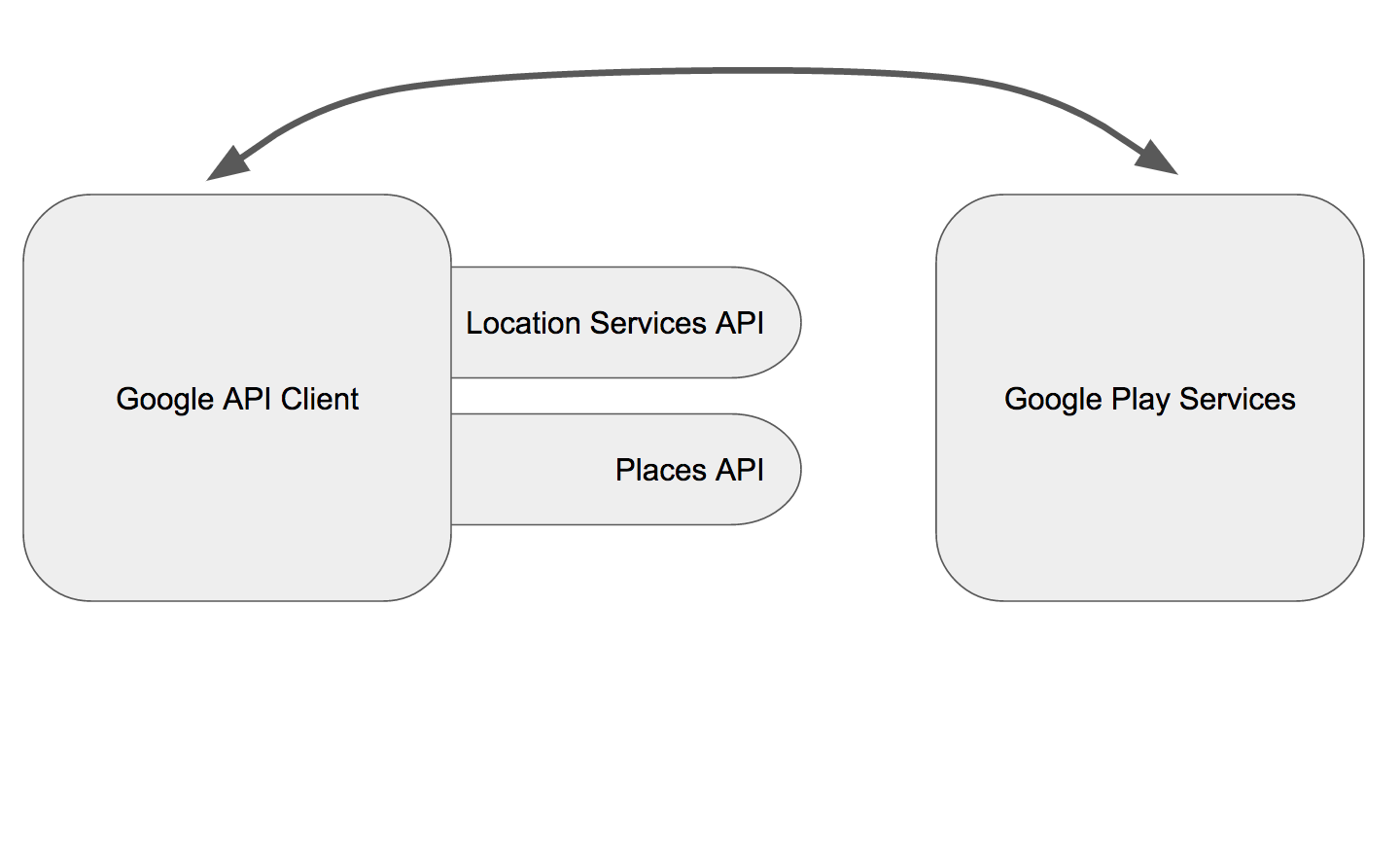
In our case, both places API and location services API require that client, so how do we create one?
A Google API Client is created using GoogleApiClient.Builder as follows:
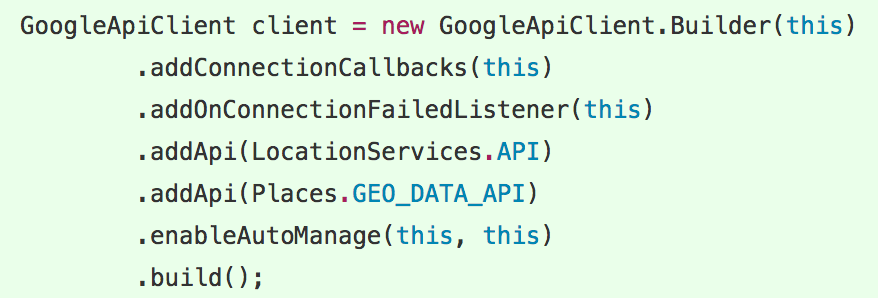
First 2 methods, addConnectionCallbacks and addOnConnectionFailedListener, are setting the callbacks that will notify when a connection is successful, since we will be creating this client in MainActivity, we will set the callbacks to this.
addApi is then called to add the API libraries we are planning to use, as we mentioned earlier we will be using the location services api and the places api.
enableAutoManage means that the client will connect/disconnect on its own, otherwise you will have to call connect and disconnect explicitly.
And then finally build creates the actual client object.
Now, since we’ve chosen to set this (MainActivity) as our callback listener, we need to implement a couple of interfaces:

And hence implement the required methods:

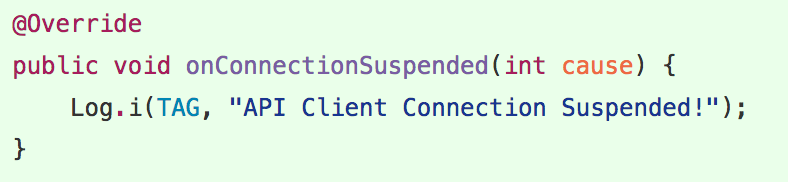

Once the client automatically connects to Google Play Services, onConnected method will fire, that is if the connections was successful.
If for any reason it wasn’t, onConnectionFailed will fire instead.
onConnectionSuspended as the name suggests fires when the client’s AutoManager decided to suspend the connection.
For now, all three methods are simply logging a message when any of them gets called.
Let's give that a try …
9 Demo GoogleAPIClient